>Acoustic Simulator
An acoustic simulator designed to produce clear and describable images for an acoustic holography presentation.
Introduction
Imagine for a moment a frigid friday morning and a rapidly approaching deadline. I, as any procrastinator would, had decided that for a presentation on acoustic holography I really needed a simulator. More accurately I had decided that not any simulator would work, but that I needed to create my very own. Join me on a three day journey through insomnia and caffeine stimulation to create a basic physics engine.
Project Goals
- Complete the Simulator
- Have an Aesthetically Pleasing GUI
- Produce Images for Presentation
- Produce GIFs for Presentation
Where Even to Begin?
A strange concept one must come to terms with when studying physics is that in reality we know nothing but describe everything. For me, this stings my inner perfectionist. The reason simply put is that I can define behavior without understanding its “real” effect. When running into issues of conceptualization a good tactic is breaking the problem apart. When I stepped back there were only a few things needed for this project:
- The Defining of Space
- The Simulation Area
- Objects of Different Mediums
- Transducers to Produce Waves
- A Physics Engine
- Acoustic Phase and Magnitude
- The Effect of Different Mediums
- A Graphical User Interface
- Aesthetics? Of Course!
- Ease of Use? Probably?
Both the physics engine and the user interface are heavily reliant on three dimensional space. This gives us a clear starting point for the project. This seems an opportune time to also reveal that there is a secret fifth project goal which is to further learn how to use Claude in an appropriate and effective manner. This project also will rely on arximboldi/lager for the architecture and arximboldi/immer for several data structures. Along with these libraries the gui uses the Dear ImGui library.
The Comforting Familiarity of Space
Being a three dimensional creature with some grasp of mathematics I felt comfortable beginning the construction of space. It is fortunate that the description of space has been around for as long as geometry. Space is described by the existence of dimensions. This project requires three dimensions labeled i, j, and k. The space we live in is infinitely precise but that isn’t possible for a physics simulation. Given a set of dimensions the space is cut up into Voxels which are areas of approximated resolution. The more voxels created, the more simulation steps required resulting in a higher resolution.
//grid.hpp
struct grid_model {
    double i, j, k;
    double cell_size;
};
If we wanted a completely empty space (optimal for calculations) this is as far as we would need to go. An empty space however is not nearly as interesting as a space with objects in it. While we could define all of the voxels, I found it to be more elegant to simply note the ones that contained an object. Please assume that a point is a xyz value and a vector3 is a ijk magnitude.
//grid.hpp
#include <immer/map.hpp>

struct voxel_data{
    vector3 normal;
};
struct grid_model {
    vector3 grid;
    double cell_size;

    immer::map<int_point, voxel_data> voxels;
};
All of the Shapes
At this point there is a space and there is a way to fill the space but no simple way to interface with the grid. Enter objects and object descriptors. Objects carry information such as an object transforms, volume, signed distance function results, and shape in the form of object descriptors. We can think of this as a mask placed on every object that makes them look the same.
//object.hpp
#include <immer/map.hpp>
struct object_model{
    int_point transform;
    shape_model shape;
    sdf sdf_data;
    immer::map<int_point, vector3> volume;
};
The object descriptors are unique to the different shapes, and contain their own special data needed to calculate their volume. The calculations use signed distance functions. Given a point in space these functions return the distance to the surface of the shape. This means that if the value is positive the point is outside, and if it is negative the point is inside. If the value is 0 then the point is on the objects surface. The parameters required to describe a sphere are different than those for a cube. We then need separate object descriptor types for the different shapes. Each with their own data and sdf generation function. This is made simple using an std::variant.
//object_descriptor.hpp
#include <variant>

struct sphere_model{
    double_point position;
    double scale;
    sdf generate(double cell_size) const;
};

struct cube_model{
    double_point position;
    vector3 scale;
    sdf generate(double cell_size) const;
};

using shape_model = std::variant<sphere_model, cube_model>;
An acute observer will notice that the function’s resolution is determined by the cell size. This keeps the objects and the grid consistent. It also allows the object placement to be fairly simple. A very acute observer will notice that we have two position definitions; one in object_model and one in shape_model. These have two separate purposes. sdf generate uses the shape_model position to calculate the exact filled area. If after the generation one wanted to move the object they would have to regenerate the sdf data. A faster less precise method would be to simply offset the voxel position by integer addition. That is what the object_model transform accomplishes.
Not Large, Not Small, Medium!
Now that there are things and a space to put things we need to look at what objects affect? It is all very well to say we have things however, with no substance the things are indistinguishable from the grid space. We need to create materials, or to be more specific mediums. Mediums are a set of variables we can use to describe gasses, liquids, and solids in a neat package. To accomplish this generalization we imagine everything to be a fluid. Acoustics are based on vibrations, which are simply waves caused in a medium. As waves and fluids go hand in hand we assume rigid objects to be highly viscous. The parts of a medium we care about are as follows:
| Attribute | Description | Retrieval Method |
|---|---|---|
| Density | The amount of mass in a given volume | User Set |
| Absorption | The acoustic energy that enters the medium rather than reflects off of it | User Set |
| π | Temperature | Also known as Hot and Cold |
| Stiffness | The amount of spatial displacement caused by the sound pressure | User Set |
| Rigid | Allows us to differentiate solid and fluid mediums | User Set |
| Speed of Sound | The speed of sound is derived by the square root of the quotient of a mediums stiffness and density | Calculated |
| Acoustic Impedance | The impedance is simply the speed of sound multiplied by the density | Calculated |
This keeps the medium model straight forward. Each of these values can be represented as a double except for the Rigid attribute which is a boolean.
//medium.hpp
struct medium_model{
    double sound_speed;
    double acoustic_impedance;

    double density;
    double absorption;
    double temperature;
    double stiffness;

    bool is_rigid;
};
Not only will the object have their own medium, but the world will have a default medium. Objects are “stamped” into the grid in a set order. This handles any conflict caused by overlapping objects. Then the map will not only hold unique normal data but medium data. This leaves the grid and object models looking like:
//grid.hpp
#include <immer/map.hpp>

struct voxel_data{
    vector3 normal;
    medium_model medium;
};
struct grid_model {
    vector3 grid;
    double cell_size;
    medium_model world_medium;

    immer::map<int_point, voxel_data> voxels;
    immer::flex_vector<object_model> objects;

    immer::map<int_point, voxel_data> stamp_in();
};
//object.hpp
#include <immer/map.hpp>
struct object_model{
int_point transform;
shape_model shape;
medium_model object_medium;
sdf sdf_data;
immer::map<int_point, vector3> volume;
};Transducers
To simulate sound we need a source also referred to as a transducer. No not the kind found in Clojure but the electrical device that can transform signals to acoustic waves. The data here is comprised of mostly wave data such as frequency, amplitude, and phase but also includes its position in space. There is also a boolean value to easily turn the transducer on and off.
Where Transducers and Grids Collide
At this point we have the ability to describe the physical pieces of the world. We also have the sources of acoustic propagation which contain the necessary wave data. Both are incredibly important to the physics simulation but are fundamentally different parts of the equation. To keep everything organized and compliant to the lager model we will place these separate models into a world_model.
//world.hpp
#include <immer/flex_vector.hpp>
struct world_model{
    grid_model;
    immer::flex_vector<transducer_model> transducers;
};
This finishes up all of the world descriptions necessary to begin constructing the physics simulator. Up to this point, Claude has only really been used for research purposes but it begins getting a little more involved due to the persuasive force of a deadline.
Acoustic Simulation
There are several equations one could use to simulate sound. Each has their own strengths and inaccuracies. Where one is made for acoustics in a room another may be stripped of the major complexities, and is simply a description of acoustics at its rawest form. For the purposes of the presentation we need not worry about most aspects such as reflection and heat dissipation. This project uses the Helmholtz Green’s function to forward solve the wave behavior. Objects could be regarded obsolete with this set up. So to give meaning to the objects there is a geometric acoustic approximation added.
This implementation steps through each voxel in space and finds the pressure of the voxel. This calculation is based on the medium data and remains 0 when the object is rigid. The simulation then moves to each active transducer. It finds the distance from the center of any given voxel to the transducers. A ray is shot from the transducer on that path to the voxel. As it goes it calculates the phase affected by distance and the mediums it travels through. The transducer values for any given voxel are added and stored in an array. This process occurs for every voxel in the space so as you might imagine- not very fast.
This section of code was Claude assisted which is not to say that it was entirely written by Claude but that I supervised Claude at some point and wrote other parts myself.
Dear, I am GUI
I cannot speak very much on how the gui works. In all honesty Claude wrote it, loosely directed by me. At this point in the project I had less than 24 hours to write my presentation and I was still lacking on both research and story. That being said, I still had a few aspects that I wanted. For one it was important to me that one could navigate a 3D viewport. One should also be able to switch between the magnitude, intensity, and phase of each simulation.
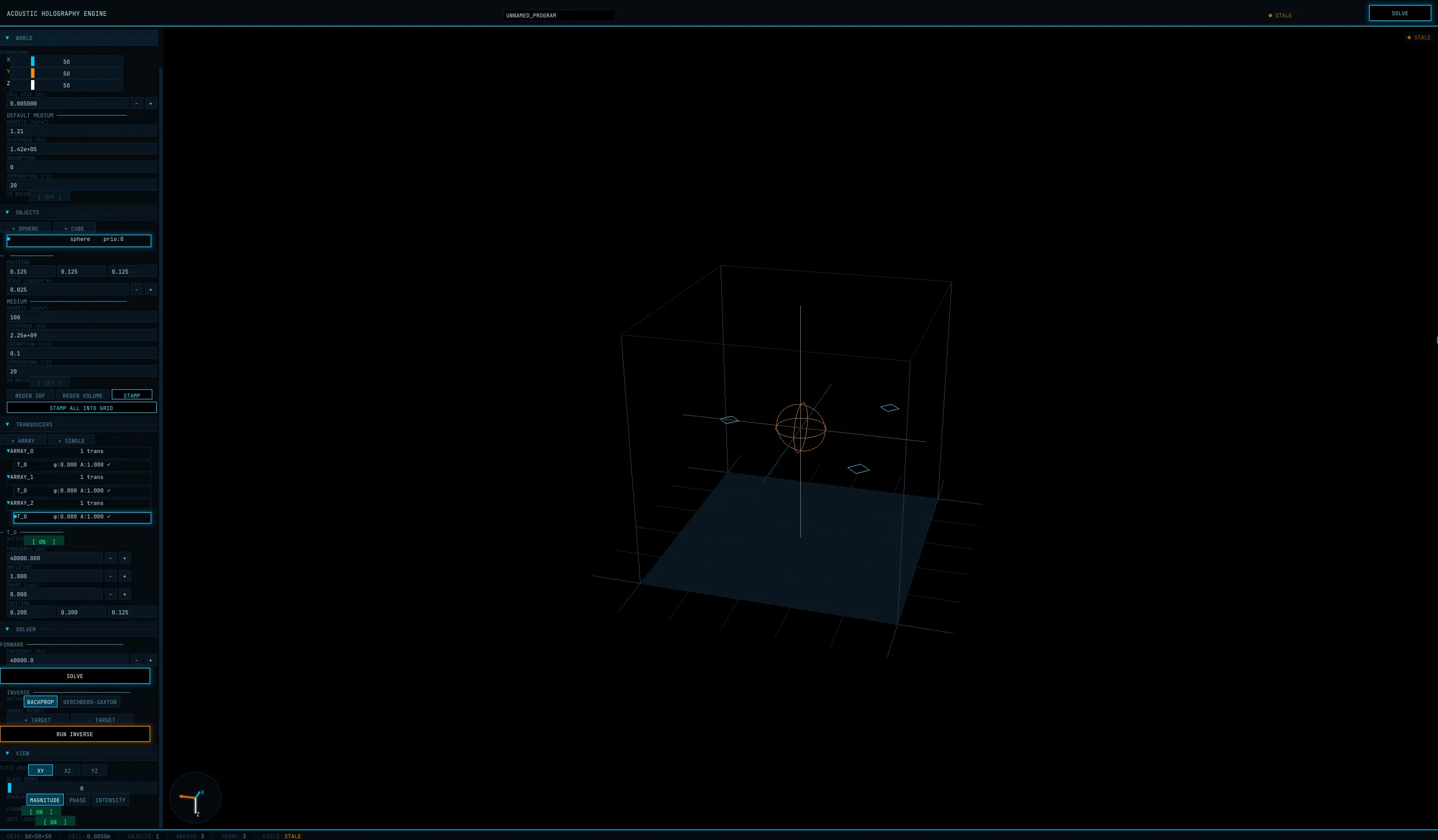 If it weren’t obvious by the picture I love the Tron aesthetic. This is not only evident by the heavily inspired gui, but because at this point in the project I had almost exclusively listened to Daft Punks Tron:Legacy album. In memoriam of the album that got me through this project I made sure Claude styled it appropriately.
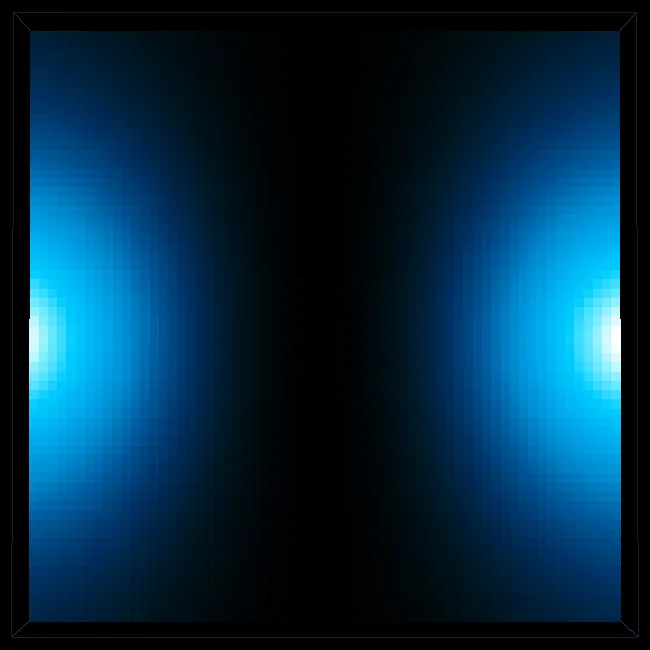
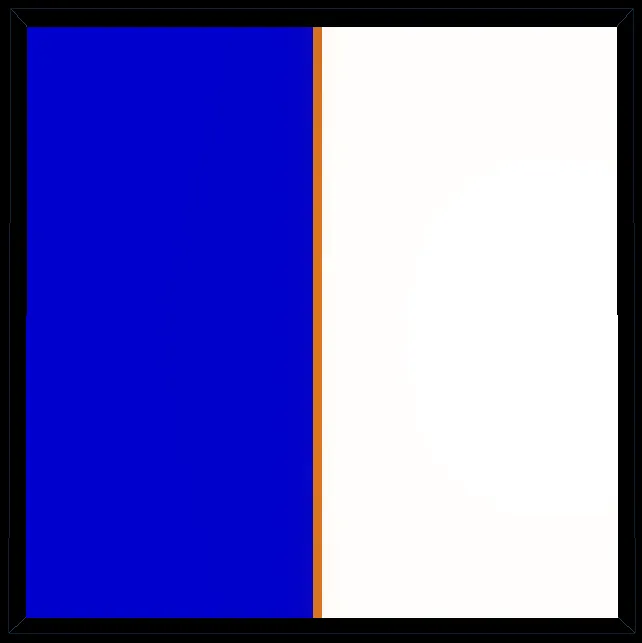 Depicted above is the result of one of the tests I ran and perhaps one of my favorite results. This is simply two transducers with a phase offset of π radians. The wave starts strong but then is completely canceled out by the other transducers wave. I find this concept in physics rather beautiful.
The Result
In the end it did work for my presentation as can be seen by the gifs below.
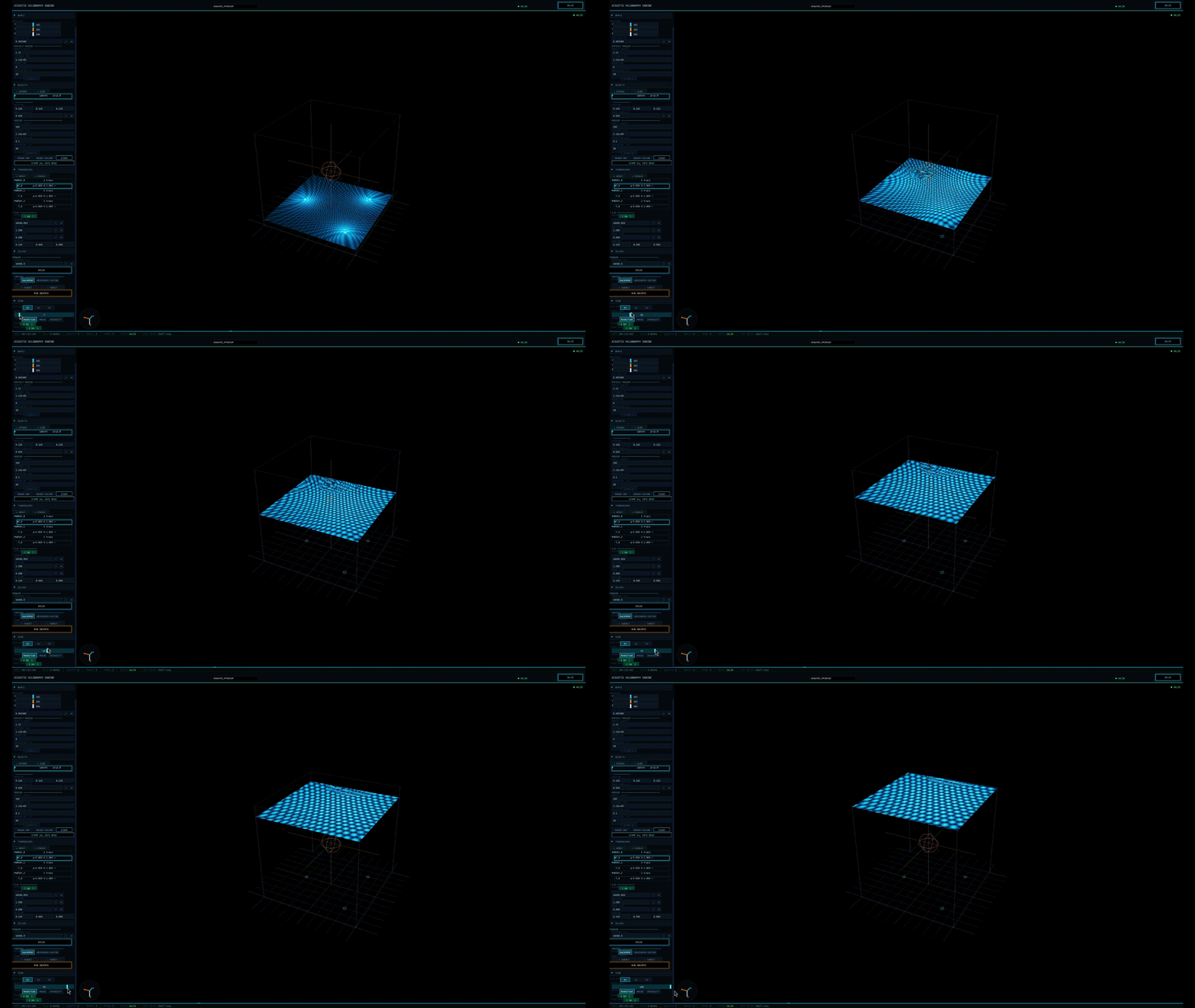
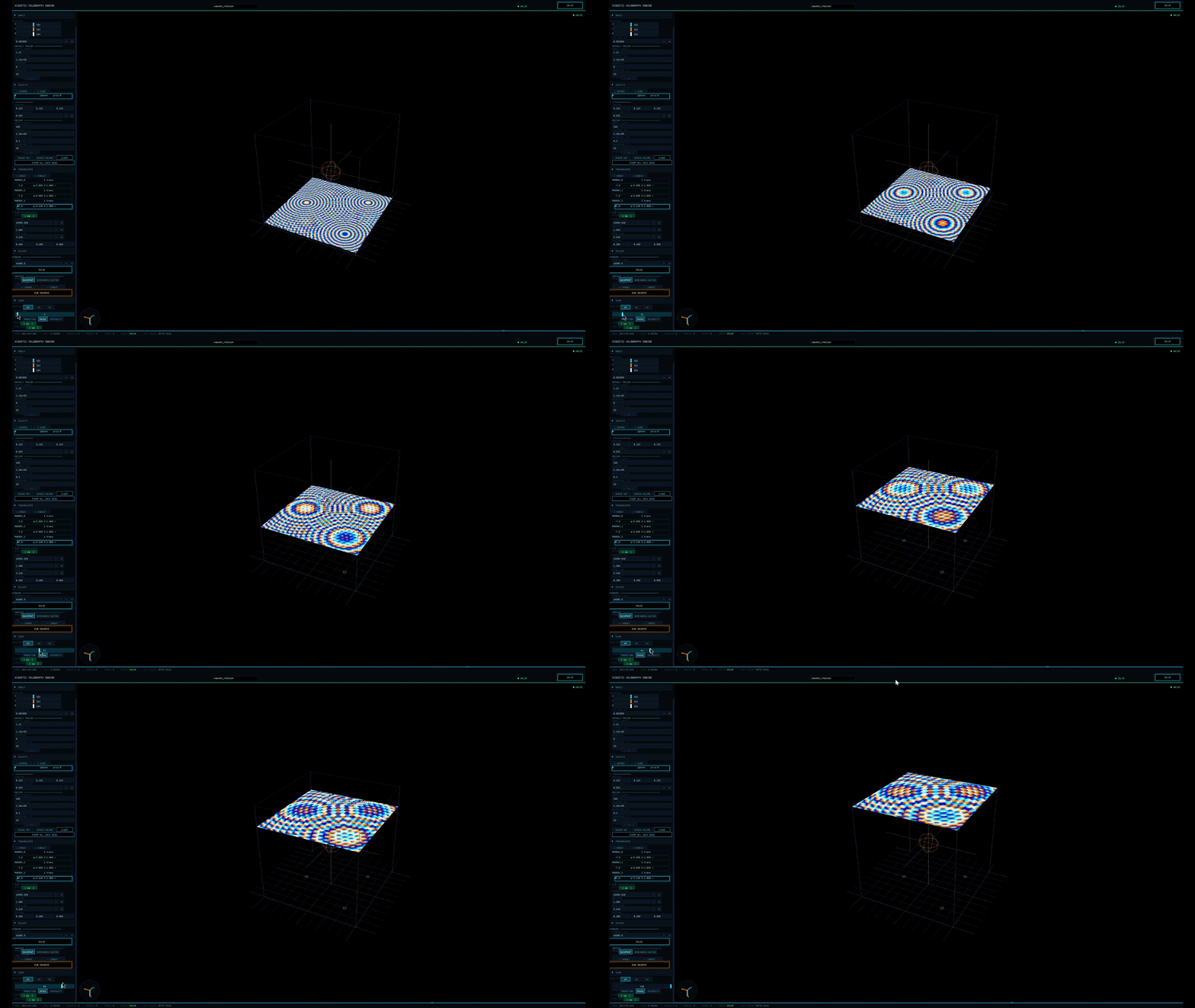 For a three day project I feel as though it turned out rather well. That being said there is plenty to improve such as a more robust simulation option and even conceptually basic things like reflection. If you were to look at the github you would see the scattered beginning of these changes that will, with a little time, refine the program.
These are simply the beginnings.
Signing out,
Simon Caisse